
An AI storyboard generator is most useful as a visual planning partner: it can break a story into scenes, suggest shot coverage, and turn a controlled description into storyboard-ready image prompts. It should make the story easier to see, not replace the decisions that make the story coherent.
A storyboard is not simply a row of attractive pictures. Each panel should answer a practical question: what does the audience see, whose point of view controls the moment, what changes inside the frame, and how does the shot connect to the next one? A generator can offer options quickly, but it cannot know which detail is essential unless you provide the scene's purpose and continuity rules.
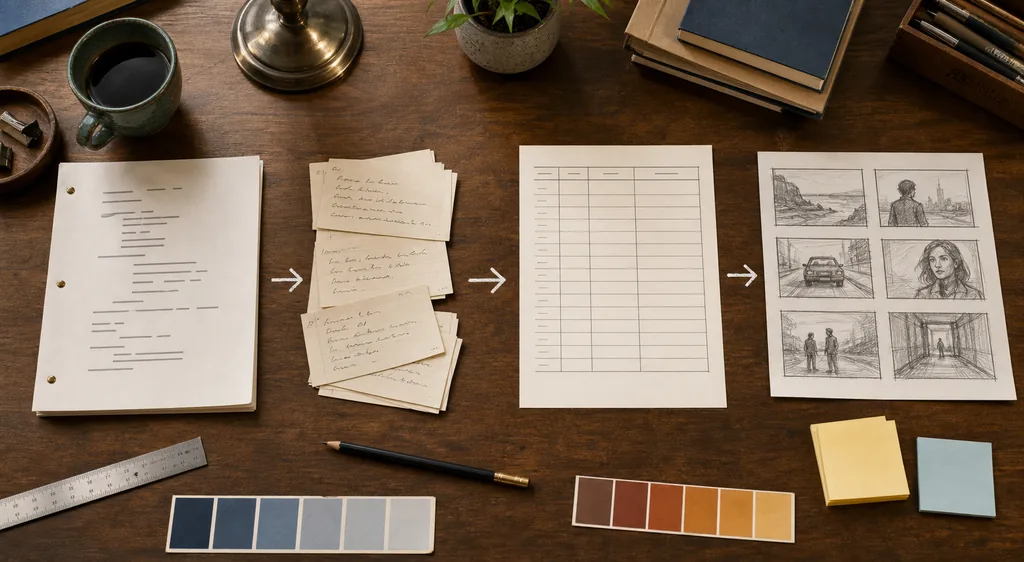
The reliable workflow is therefore story-first and shot-aware. Start with a short scene brief, identify the action and emotional turn, choose the minimum coverage needed to understand it, then write a visual prompt that protects character identity, setting, time, lighting, and aspect ratio. This guide gives you that process, a shot-list table, a reusable prompt template, and checks for common AI storyboard failures.
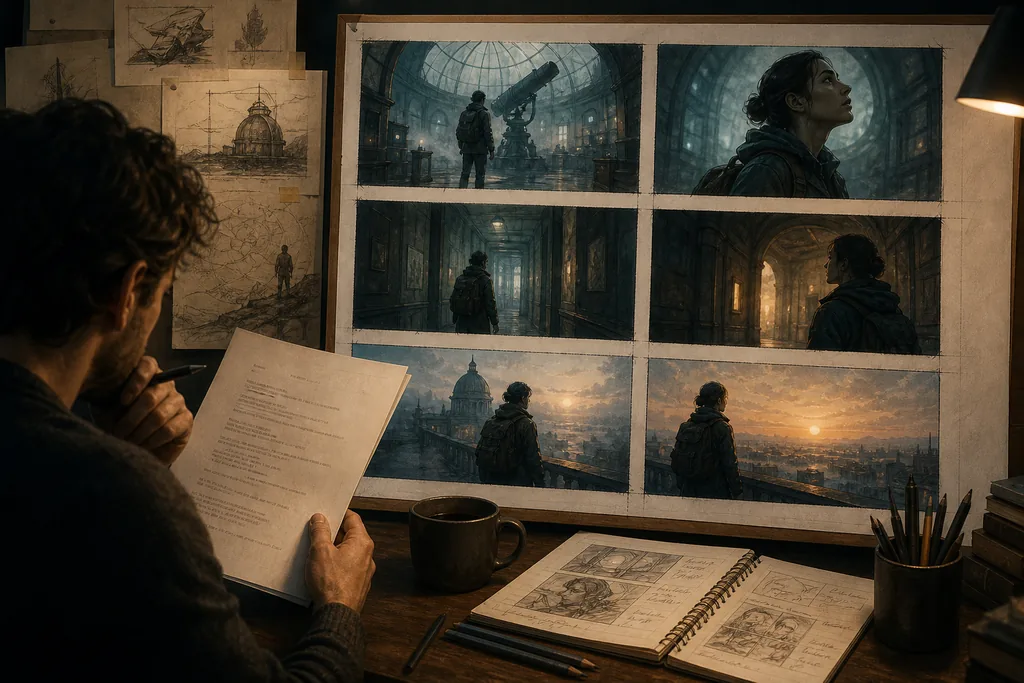
What Is an AI Storyboard Generator Good At?
The phrase AI storyboard generator can describe several different workflows. Some tools create image panels from a script. Others help with scene breakdowns, shot lists, camera angles, or visual references. A text model can also act as a planning assistant before you open an image tool. These are related jobs, but they are not interchangeable: a polished image is not proof that the scene has the right coverage.
Use AI when you need fast alternatives. Ask for three ways to stage a reveal, compare a wide establishing shot with a close reaction, or turn a paragraph into a sequence of visual beats. Then keep only the options that preserve the story's cause and effect. If the character has not decided to leave the room, a beautiful rooftop panel is still the wrong panel.
The best result is a reviewable chain: a scene objective, a small set of beats, a shot list, and panels that can be checked against both. This makes it easier to revise the visual plan before spending time on final illustrations, animation, or video generation.
The useful division of labor
Let AI expand visual options and expose missing coverage. Let the writer or director decide what the audience must understand, what stays hidden, and which image truly advances the scene.
What to Prepare Before You Generate Storyboard Panels
A short, structured input usually produces a more usable storyboard than a long block of unedited prose. You do not need a complete screenplay, but you do need enough context to stop the generator from inventing a different story. Keep confirmed facts separate from optional ideas, especially when you are working on a series or a long novel.
The table below is a practical minimum. Add detail only when it changes a visual decision. A character's favorite food is irrelevant to a hallway shot unless the food becomes a prop, a clue, or a reason for the character's action.
| Input | Why it matters | Example |
|---|---|---|
| Scene purpose | Tells the panel what the audience must understand or feel. | The protagonist realizes the message is a warning, not an invitation. |
| Action and turn | Keeps the sequence moving instead of producing unrelated poses. | She opens the door, notices the wet footprints, and hides the phone. |
| Character anchors | Protects identity across close, wide, and over-the-shoulder shots. | Dark hair in a loose bun, charcoal jacket, canvas backpack, tired eyes. |
| Location and time | Controls architecture, weather, light direction, and props. | Old observatory corridor at dawn after heavy rain. |
| Format and limits | Prevents a panel from becoming unusable for the final medium. | Six landscape panels, no readable text, room for captions below each frame. |
The Six-Step Story-to-Storyboard Workflow
Run the process in small passes. If the story changes, revise the scene brief and shot list before generating a new batch of panels.
1. Write the scene promise
Summarize the scene in one sentence with a viewpoint character, an immediate goal, an obstacle, and a change by the end. This is the boundary that keeps an AI storyboard generator from treating every interesting image as equally useful.
Check: Can you say what is different at the end of the scene?
2. Split the scene into visual beats
List only the moments the audience needs to see: establish the space, direct attention to the important action, show the reaction, and land the turn. Do not create a panel for every line of dialogue. Combine beats when one frame can communicate them clearly.
Check: Does every beat change information, emotion, position, or risk?
3. Choose coverage before style
Select shot size and angle according to meaning. A wide shot can establish isolation, a medium shot can show a choice, a close-up can protect a reaction, and an over-the-shoulder shot can define a relationship. Style comes after the camera job is clear.
Check: Could a reader understand the shot's purpose without seeing the final art?
4. Write controlled visual prompts
Describe subject, action, setting, camera distance, lens feeling, light, palette, time, aspect ratio, and continuity anchors. Use short concrete phrases. If a detail must remain unknown, say so instead of allowing the model to fill the gap with invented text or props.
Check: Have you separated must-keep facts from optional decoration?
5. Generate alternatives, not a single verdict
Ask for two or three panel options when the staging is uncertain. Compare them against the scene promise and choose one direction. Generating many near-identical images without a decision rule creates a gallery, not a storyboard.
Check: What decision will the next generation help you make?
6. Review the sequence as a reader
Place the panels in order and inspect continuity, eyelines, screen direction, time of day, props, and emotional escalation. Add captions for action or dialogue only after the images work without them. Then update the shot list before moving to the next scene.
Check: Can someone who has not seen the prompt follow the scene from the panels alone?
Build a Shot List Before You Chase Beautiful Images
A shot list is the bridge between narrative intent and visual generation. It keeps you from asking an AI storyboard generator for six versions of the same medium shot while forgetting the establishing view, the reaction, or the detail that carries the clue. It also gives you a simple way to compare tools: can the workflow preserve your shot order and constraints, or does it only produce isolated pictures?
Use a compact table. The exact terminology can change by project, but each row should contain a camera job and a continuity check. If a shot has no purpose beyond looking impressive, mark it as optional rather than letting it control the sequence.
| Shot | Purpose | Visual direction | Continuity check |
|---|---|---|---|
| 1. Establishing wide | Orient the audience and show the scene's pressure. | Rainy observatory exterior, tiny figure approaching the side entrance. | Does the location match the next interior shot? |
| 2. Medium action | Show the protagonist making the first choice. | She pushes the heavy door open, backpack still on one shoulder. | Is the hand, prop, and body position physically possible? |
| 3. Insert detail | Direct attention to the clue. | Wet footprints leading past a locked cabinet; no readable labels. | Will the clue remain visible at the intended crop? |
| 4. Close reaction | Make the emotional interpretation legible. | Her eyes track the footprints; cold blue light on one side of her face. | Does the character still look like the earlier wide shot? |
| 5. Over the shoulder | Reveal the new risk without explaining everything. | A second figure appears at the far end of the corridor. | Are screen direction and eyeline consistent with the reaction? |
A Reusable AI Storyboard Prompt Template
Give the generator a bounded assignment and ask it to preserve the anchors. Replace the bracketed parts, then request one panel or a clearly numbered set of panels.
Project: [genre and one-sentence story promise]
Scene job: [what the audience must understand or feel]
Beat: [one visible action and the change it causes]
Character anchors: [age range, hair, clothing, prop, distinctive feature]
Setting: [place, time, weather, important objects]
Camera: [shot size, angle, viewpoint, screen direction]
Lighting and palette: [light source, contrast, color mood]
Composition: [subject placement and negative space for captions]
Continuity rules: [facts that must remain unchanged across panels]
Avoid: [readable text, extra characters, invented logos, unexplained props]
Output: [panel number, short visual description, optional caption]
The continuity rules are as important as the style words. If the same character appears in several panels, repeat the anchors or use a reference workflow supported by the image tool. Treat every generated panel as a draft until it passes the shot-list check.
Keep Characters, Locations, and Screen Direction Consistent
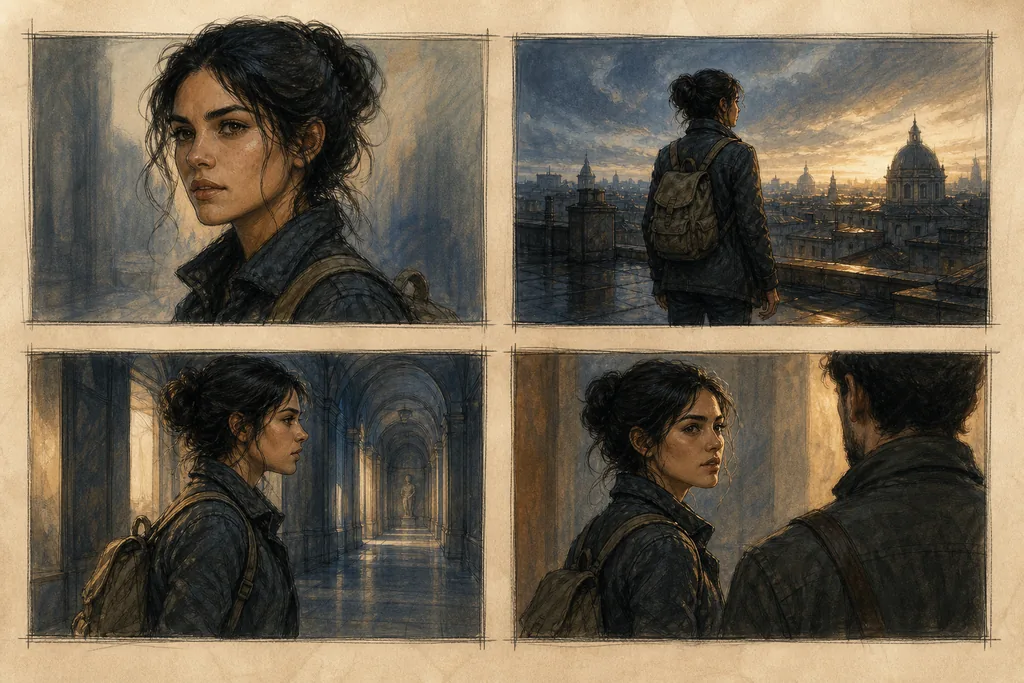
Consistency is the difference between a storyboard and a set of unrelated concept images. The same character may look attractive in each frame but still feel like a different person if the hair, clothing, age, body language, or key prop drifts. Locations can drift too: a corridor changes width, a window moves, or the light comes from the opposite side without a story reason.
Review continuity in layers. First check hard facts, then camera geography, then emotional logic. Do not try to solve every visual issue with more style adjectives. A clear reference image, a stable character description, and a small number of camera changes usually help more than a long prompt full of decorative terms.
- Keep a character anchor line with clothing, hair, age range, silhouette, and one recognizable prop.
- Record the scene's screen direction so a character does not appear to cross the hallway in the wrong direction between panels.
- Repeat the time, weather, and dominant light source when a sequence happens in one continuous moment.
- Separate a deliberate costume or location change from accidental model drift in the shot list.
- Check eyelines and the 180-degree relationship before adding captions or dialogue.
- Save the selected panel and its constraints as a reference for the next scene instead of starting from a blank prompt.
Common AI Storyboard Mistakes and Better Fixes
Most storyboard problems are planning problems disguised as image problems. Fix the decision or the input before asking for more generations.
| Problem | Why it hurts | Better fix |
|---|---|---|
| Prompting the whole screenplay at once | The model compresses important turns and invents visual details that have no place in the story. | Work scene by scene, then pass forward only confirmed continuity facts. |
| Choosing style before camera purpose | Every panel looks polished but the sequence has no readable coverage. | Write the shot job first; add palette and rendering style second. |
| Using vague character descriptions | Hair, clothing, age, and props drift between panels. | Keep a short anchor line and repeat it for every related shot. |
| Adding text inside the generated image | Text can be misspelled, unreadable, or mistaken for part of the story world. | Keep core meaning in HTML or captions and ask for text-free panels when possible. |
| Treating an image as final evidence | A beautiful frame can still contradict the scene's logic, rights, or production limits. | Review story purpose, continuity, crop, source rights, and practical feasibility before approval. |
AI Storyboard Generator FAQ
Further reading
These public product guides illustrate common storyboard workflows and help you compare terminology; they are examples, not endorsements:
- Adobe Firefly storyboard guide — A first-party overview of generating storyboard-style visual sequences from a script or prompt.
- Boords AI storyboard generator — An example of a storyboard workflow organized around scripts, shots, and production planning.
- Drawstory storyboard workflow — An example of connecting story ideas with visual panels and scene planning.
The Reliable Way to Use an AI Storyboard Generator
Start with the story promise, split it into visual beats, and choose the camera job before you ask for a polished panel. A small shot list gives every image a reason to exist and makes continuity problems visible while they are still cheap to fix.
The goal is not to fill a page with attractive images. It is to create a visual plan that another person can follow, revise, and eventually turn into illustrations, animation, or video without losing the character logic and emotional turn of the original story.
For the next planning pass, combine this visual workflow with the AI novel writer guide, the AI backstory generator, and the AI plot generator.