
Looking for a ToolBaz AI Story Generator alternative usually means you need a different workflow, not simply another text box. ToolBaz is useful for quick drafts, a wide model menu, configurable story fields, and no-login experiments. An alternative becomes valuable when you need stronger continuity, clearer privacy expectations, predictable formatting, or a focused path from idea to finished scene.
This comparison starts with the actual ToolBaz pages reviewed on November 16, 2026. The main writer page presents model choices, a prompt field, optional customization, several output formats, and a generate action. The ToolBaz Pro page adds deeper character and setting controls, narrative perspectives, and audience choices. A separate short-story page emphasizes language, creativity, tone, model selection, and quick anonymous use.
Those features make ToolBaz a reasonable first stop for a low-friction draft. They do not answer every writer's question. You still need to decide how much context to supply, how to protect names and timelines, how to compare revisions, and where a generated draft will live after you leave the page. The right alternative is the one that solves your specific gap without adding a new set of confusing controls.

The Quick Verdict on ToolBaz
Choose ToolBaz when you want to move from a short idea to a readable draft quickly, try more than one model, or experiment without creating an account. Its public pages make the first attempt approachable: add a premise, select a model when the control is available, adjust the optional fields, and generate. That simplicity is the strongest reason to try it.
Choose a ToolBaz AI Story Generator alternative when your main cost is revision. If a tool forgets a character detail, changes the order of events, hides important settings, or makes you repeat the same brief for every scene, the free first draft is not the whole price. A focused story workspace, a continuation tool, or a novel generator may save more time even when its interface looks less minimal.
No public page can prove that one model will preserve every fact in every genre. Treat the comparison as a workflow decision. Run the same small test in each tool, keep the original prompt, and measure the edits needed before you commit a long project.
Best starting rule
Use ToolBaz for fast exploration. Move to an alternative when continuity, repeatable structure, or a calmer editing workflow matters more than having the largest visible model list.
What the ToolBaz AI Story Generator Actually Offers
The main ToolBaz writer page is built around a configurable generation form. The fetched page lists ToolBaz models and named models, a prompt area, optional story controls, and output actions. It describes the generator as suitable for different genres and formats, which makes it useful for a quick side-by-side experiment. The page also presents the service as free, unlimited, and usable without login; those are page claims, so check the live terms and limits before relying on them for a large project.
ToolBaz Pro frames the same general task with more authoring language. Its page highlights character and setting control, narrative perspective, format choices, and audience fit. The short-story route adds controls for language, creativity, tone, and model selection. In practice, the exact fields can change between routes or over time. Record the fields you actually see instead of assuming that a tutorial or an old screenshot still matches.
That distinction matters when you compare alternatives. A competitor may look stronger simply because it exposes more labels, while its generated output still needs the same human review. Compare the input contract and the resulting editing work, not the number of badges on a landing page.
| Area | Observation from reviewed ToolBaz pages | What to verify before a long project |
|---|---|---|
| Prompt | A short premise or detailed brief can start the generation flow. | Can the tool keep a short list of fixed facts in later scenes? |
| Model choice | The main page presents several ToolBaz and named models. | Does the same model remain available, and is the label meaningful for your genre? |
| Controls | Pro and short-story routes expose fields for characters, setting, format, tone, or creativity. | Can you reuse those settings without retyping them? |
| Output | The pages describe multiple formats and quick generation. | Can you copy, export, and preserve a clean version for editing? |
When a ToolBaz AI Story Generator Alternative Helps
An alternative is justified when it changes the task you can complete, rather than only changing the brand name. A writer planning a single scene may value speed and model variety. A writer building a novel needs a place to keep a cast list, chapter goal, point of view, and timeline. A fanfiction writer may need stricter protection for canon facts. A teacher or parent may care more about predictable language and a clear review step.
The following signals are practical reasons to test another tool:
- You spend more time repairing names, ages, locations, or event order than drafting new material.
- You cannot tell which input fields affected the result, so a good draft is difficult to reproduce.
- The output is useful but hard to move into your editor because formatting or export is inconsistent.
- You need a continuation or chapter workflow instead of a fresh one-shot story.
- You want a clearer explanation of data handling before pasting unpublished work.
- You need a localized interface or a writing environment that reduces distracting ads and model jargon.
ToolBaz vs an Alternative: Compare the Writing Job
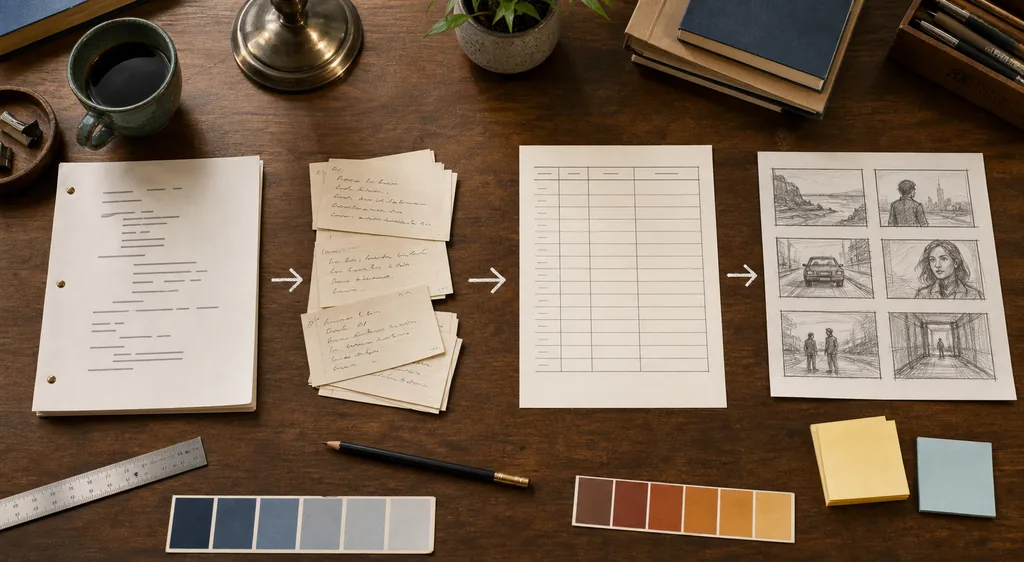
There is no universal winner because the word alternative covers several different jobs. A short-story generator can beat a general page for a quick, bounded prompt. A story continuer can beat both when the next scene is already partly written. A novel generator may be a better fit when chapter structure and long context are the main problem. Compare the job first, then compare the product.
Use this matrix as a starting point. The ToolBaz column describes what the reviewed pages make easy to try; the alternative column describes the capability you should look for, not a promise that every competitor provides it.
| Writing job | ToolBaz is a good first test when... | Look for in an alternative when... |
|---|---|---|
| One short story | You want a quick premise-to-draft path and optional tone or format controls. | You need a calmer editor, stronger revision controls, or a clean export. |
| A continuing scene | You can paste the approved ending and clearly state the next beat. | The tool stores a compact story state and makes continuity checks visible. |
| Fanfiction | You can list canon facts and review every generated scene. | The workflow keeps a canon sheet, character bible, or reusable constraints. |
| Novel planning | You are exploring premise, voice, or chapter ideas one at a time. | The product supports chapters, persistent context, and revision history. |
| Visual or video planning | You only need prose or a scene outline as the first step. | You need shot lists, images, narration, or a direct story-to-video pipeline. |
A Fair Test Workflow Before You Switch
A comparison is more useful when every tool receives the same small brief. Keep the test short enough to inspect manually, but include the details that usually break continuity.
1. Write one controlled brief
Use a 120-180 word scene request with a named protagonist, a specific location, a time of day, one physical object, one forbidden plot change, and a target tone. Do not change the brief to rescue one tool after seeing its output.
Check: The brief contains facts you can mark as preserved or changed.
2. Run the same first draft
Record the page, visible model label, controls you used, and approximate output length. Save the original response before asking for a revision. This gives you a baseline instead of a memory-based impression.
Check: You can reproduce the request without relying on a hidden prompt.
3. Ask for one focused revision
Request a single change, such as tightening the opening or raising sensory detail, while naming the facts that must remain unchanged. A tool that handles one bounded revision is easier to trust than one that promises everything at once.
Check: The revision changes the requested dimension without rewriting the premise.
4. Score repair time
Count the edits needed to restore names, timeline, point of view, tone, and formatting. Also note whether the tool makes you repeat context. Your minutes of repair are a better signal than a polished first paragraph.
Check: You have a short note for quality, continuity, control, and effort.
5. Choose the smallest sufficient workflow
Keep ToolBaz if it completes the job with acceptable review. Switch only when an alternative removes a recurring problem, such as missing continuity or awkward export. Document the reason so you can reassess after a model or interface update.
Check: The choice is linked to a writing job, not a vague feeling about novelty.
How to Choose the Right Alternative
Start with the output you need at the end of a session. If the answer is a single readable scene, a lightweight generator may be enough. If the answer is a chapter package with a cast list, outline, draft, and revision notes, choose a workflow that keeps those parts together. This avoids paying for a long-context promise when your real issue is organization.
Then check the input and recovery path. Can you edit a prompt after generation? Can you ask for a continuation without pasting the entire manuscript? Can you recover a good draft if the tab closes? These small questions expose whether a service is designed for repeated writing or only for a one-time demo.
Finally, decide how much uncertainty you can review. A public free page may be ideal for brainstorming, while unpublished client work may require a service with clearer retention and account controls. Do not paste confidential material until the provider's current privacy terms answer the question that matters to you.
- Match the tool to the job: draft, continue, outline, revise, or convert to a visual plan.
- Prefer reusable context fields when a project has a cast, setting, or timeline.
- Test export and copy behavior with a real paragraph, not a placeholder sentence.
- Check whether your language, tone, and audience controls are available on the route you will use.
- Count repair minutes across two or three scenes before calling a tool your default.
A Reusable Prompt for Testing ToolBaz Alternatives
The following compact template makes the comparison fair without pretending that a prompt can remove model uncertainty. Replace the bracketed values, keep the facts stable, and ask for one output at a time. If a tool has separate fields for genre, audience, or tone, put those values in the matching fields and keep the body prompt focused.
Run the template once for a first draft and once for a bounded revision. Save both outputs. The difference between those two responses tells you more about workflow quality than a single impressive paragraph.
Write a 500-word scene in science fiction for adult readers.
Protagonist: Mara, a cartographer, wants to find the missing signal.
Setting: an abandoned observatory at dawn. Keep a brass compass visible.
Fixed facts: Mara is 31; the compass belonged to her father; the signal repeats every 12 minutes.
Do not add: a second protagonist.
Voice: restrained and tense. End with Mara opening the sealed radio room.
After drafting, list any fact you were uncertain about.
A good comparison note records what the tool followed, what it invented, how much you edited, and whether the output can be reused in the next scene. Keep that note with the prompt so a future model or interface can be tested on the same terms.
Limits, Privacy, and Quality Checks
ToolBaz pages can make a strong first draft look effortless, but generation is still probabilistic. A model may select a different detail on a second run, blend two characters, or produce a confident sentence that was never in your brief. Treat every output as a draft until you verify the facts that matter to the story.
Privacy deserves the same practical caution. The reviewed pages expose public writing tools, but the page copy alone does not establish a retention period, training policy, or confidentiality guarantee for unpublished work. Read the current provider terms, remove names or client details from experiments, and keep a local copy of anything you want to preserve.
Quality also includes accessibility and concentration. A page that is free but crowded with model labels, ads, or moving controls may cost more attention than a quieter alternative. Try the same task on desktop and mobile, confirm that the result can be selected and copied, and stop using a route that makes the recovery path unclear.
- Preserve the source prompt and first draft so you can audit a later revision.
- Check names, chronology, point of view, quoted text, and safety boundaries before publishing.
- Do not paste confidential, private, or client-owned material until current terms answer your data question.
- Avoid treating model labels, speed claims, or a free badge as a quality guarantee.
- Re-test after major interface or model changes because public tool routes can evolve.
ToolBaz AI Story Generator Alternative FAQ
Bottom Line
ToolBaz is worth testing when you want a fast, flexible draft and a low-friction way to try different story settings. Its public pages make model choice, prompts, formats, and optional controls visible. The strongest reason to choose a ToolBaz AI Story Generator alternative is a repeated workflow problem: continuity repair, missing context, difficult export, unclear privacy, or an output path that does not fit your project.
Keep the decision concrete. Use one controlled brief, compare the same writing job, and record the edits rather than ranking tools by interface claims. That method leaves room for ToolBaz to be the right answer for a quick scene and for a different tool to be the better answer for a continuing story or a long manuscript.
For another comparison angle, read Perchance alternatives, the story continuer, or test ToolBaz AI Story Generator.
Sources and Review Note
The product observations in this comparison come from the public ToolBaz writer page reviewed on November 16, 2026: ToolBaz AI Story Generator The Pro route was reviewed here: ToolBaz Pro AI Story Generator.
Last updated: November 16, 2026
Write a controlled test